Setup a Managed Node
A managed Blacklight node lets you participate in Blacklight without running any infrastructure yourself. The node is run on your behalf - you simply stake your NIL tokens and start earning rewards.
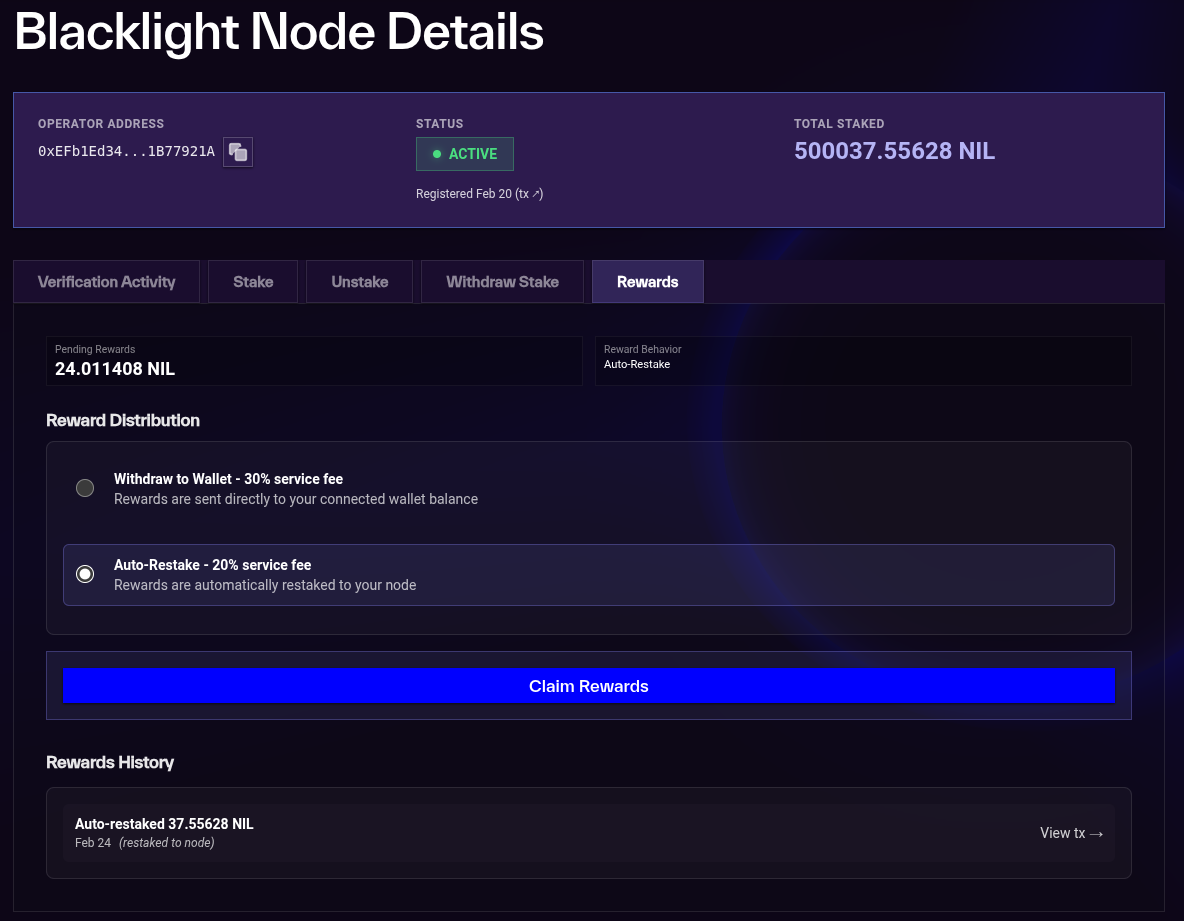
The minimum stake for a managed node is 500,000 NIL. You can unstake at any point, subject to a 7 day unbonding period. When claiming rewards, a 30% fee applies if you withdraw rewards to your wallet, or a 20% fee if you restake them directly.
Prerequisites
Ensure you have NIL and ETH on Ethereum (L1) before getting started.
To obtain NIL, you can either:
- buy or swap to NIL on a decentralised exchange, for example Uniswap
- claim your Cosmos NIL on Ethereum via Merkle proof (see here for details)
Walkthrough
Below is a step-by-step walkthrough of the full process of setting up your managed node using the webapp. If you get stuck, feel free to reach out to us on Discord.
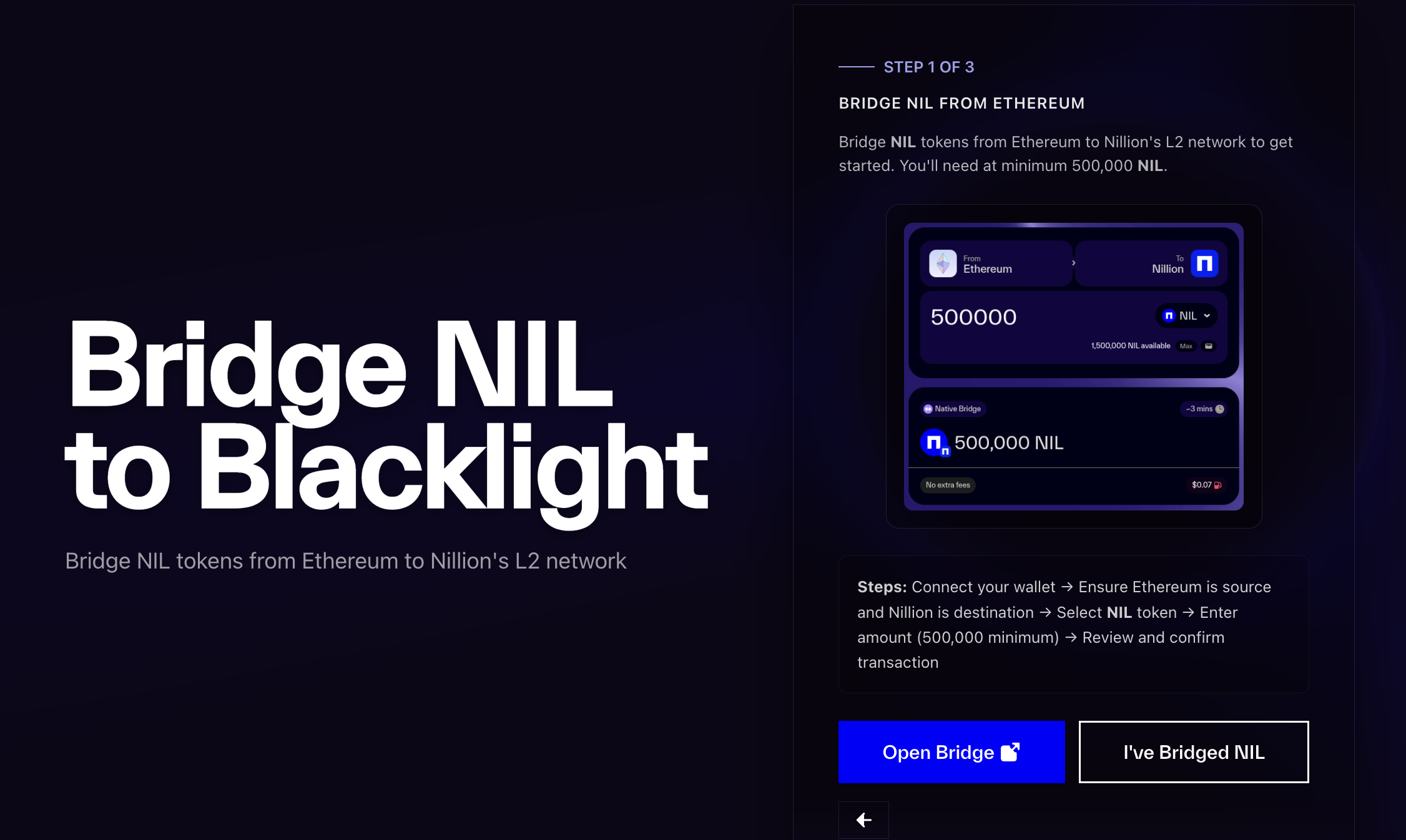
Bridge NIL to Nillion's L2
First, bridge your NIL tokens from Ethereum to Nillion's L2. The webapp will guide you through this process.
- Connect your wallet
- Click "Bridge NIL" and you will be taken to the bridge and connect your wallet there
- Ensure
Ethereumis the source chain andNillionis the destination - Select
NILas the token to bridge - Enter the amount of
NILyou want to bridge (at least 500,000 NIL to meet the minimum stake) - Review and confirm the transaction
Your NIL tokens will be available on Nillion's L2 after the bridge transaction is confirmed.
Bridge ETH to Nillion's L2
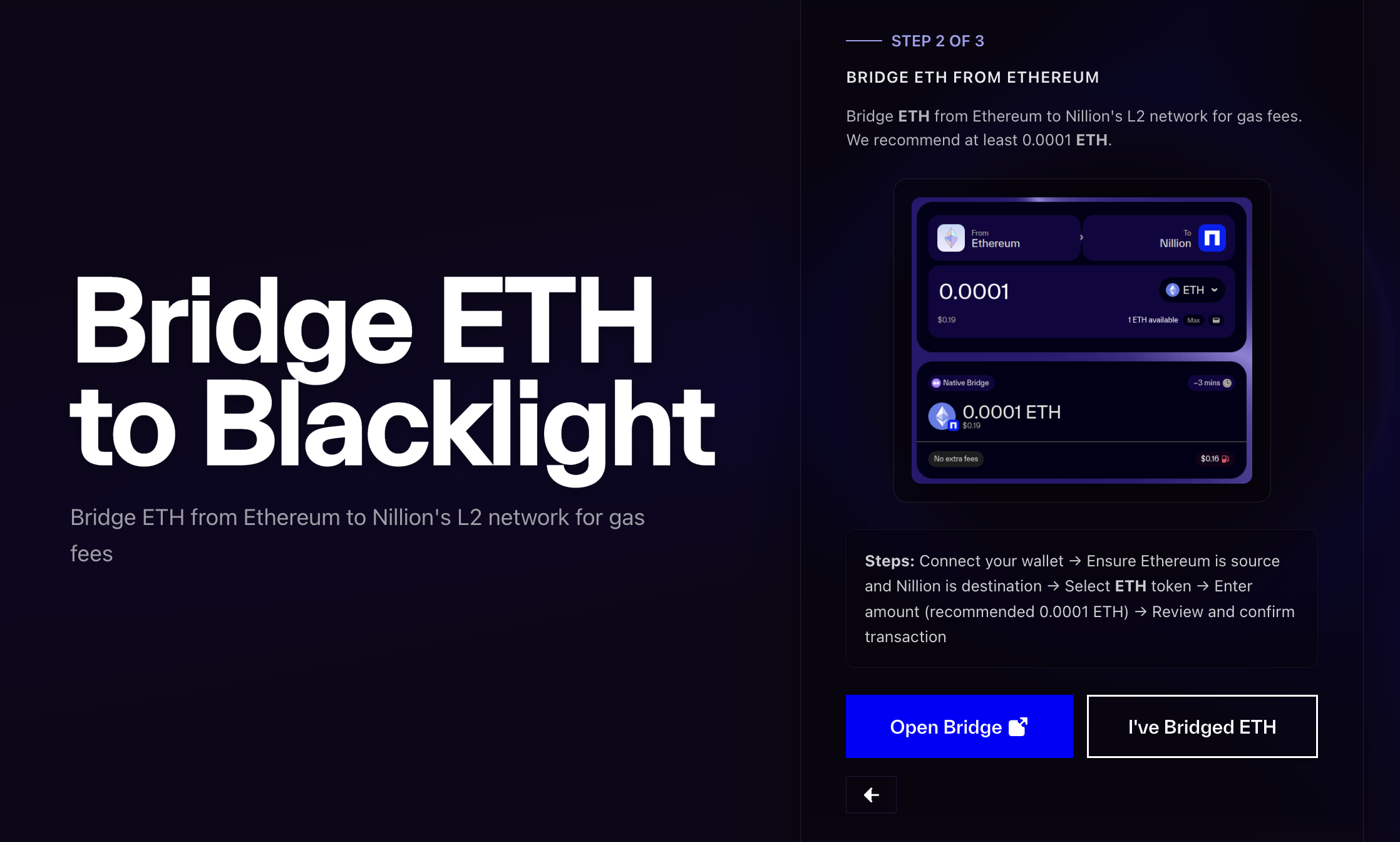
Next, bridge ETH from Ethereum to Nillion's L2. This ETH is used to cover gas fees on Nillion's L2.
- Click "Bridge ETH" and you will be taken to the bridge and connect your wallet there
- Ensure
Ethereumis the source chain andNillionis the destination - Select
ETHas the token to bridge - Enter the amount of
ETHyou want to bridge (this is to cover gas, we recommend at least 0.001) - Review and confirm the transaction
Once the bridge transaction is confirmed, your ETH will be available on Nillion's L2.
To see the bridged assets in your wallet, you may need to add Nillion's L2 as a network and add the token in your wallet. Check out the network configuration details and token contract addresses on the Network Configuration page.
Stake to your Managed Node
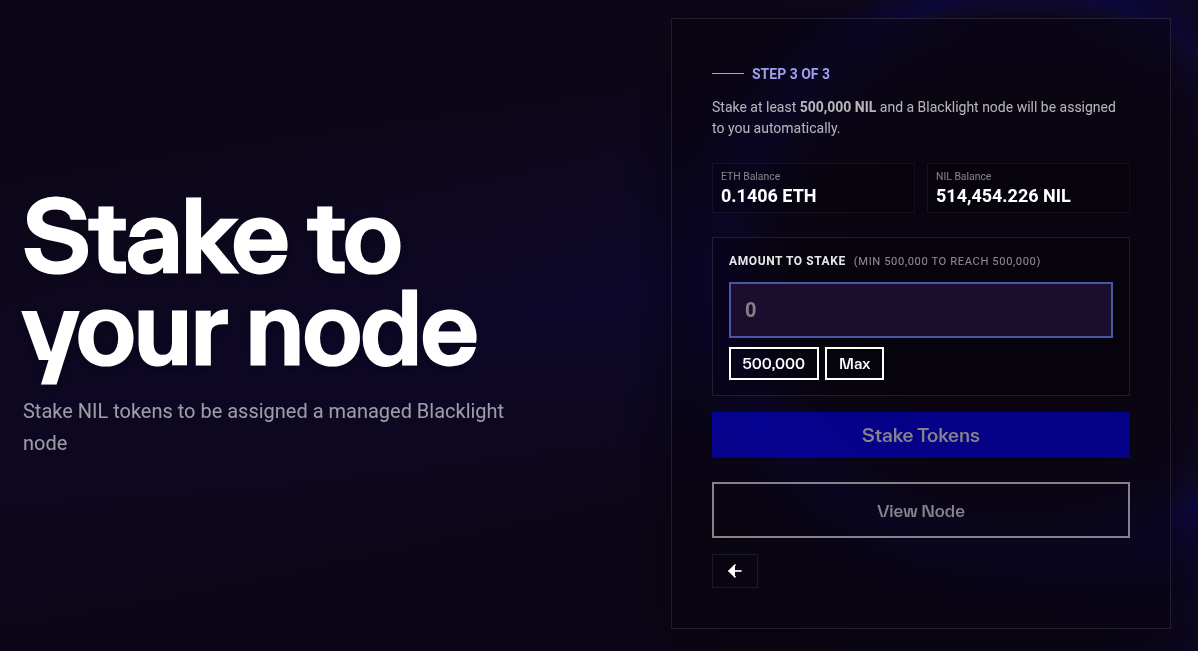
Finally, stake your NIL tokens to your managed node. The minimum stake is 500,000 NIL.
In the webapp, enter the amount you would like to stake, click stake and sign the transaction in your wallet. After this is complete, click "view node" to see your node dashboard.
Your Node is Running
Once you have completed the steps above, your managed node is live. You do not need to do anything else — the Nillion team handles the infrastructure and operation of the node for you.
You will be given a link to your node's dashboard, where you can:
- Monitor your node's status
- Stake additional NIL or unstake your existing stake
- Edit reward distribution method and claim rewards (rewards are also automatically claimed every hour)
Note there is a 7 day unbonding period when unstaking. Only after this period can you withdraw your funds.